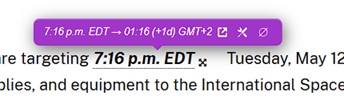


Timezone conversion
Timezone conversion stays in the same gesture.
A time selection can open a dedicated conversion tooltip instead of forcing a separate workflow or a different tool.
Read first. Translate later.
Not A Translator injects lightweight tooltips (noun) floating definition boxes that stay close to the selection and can rotate around it to escape edges and overlap. near your selection, keep the original-language definition front and center, and hide a lot of technical work behind a very simple gesture.
In context
A desktop Firefox view and a mobile Safari development view help make that concrete.
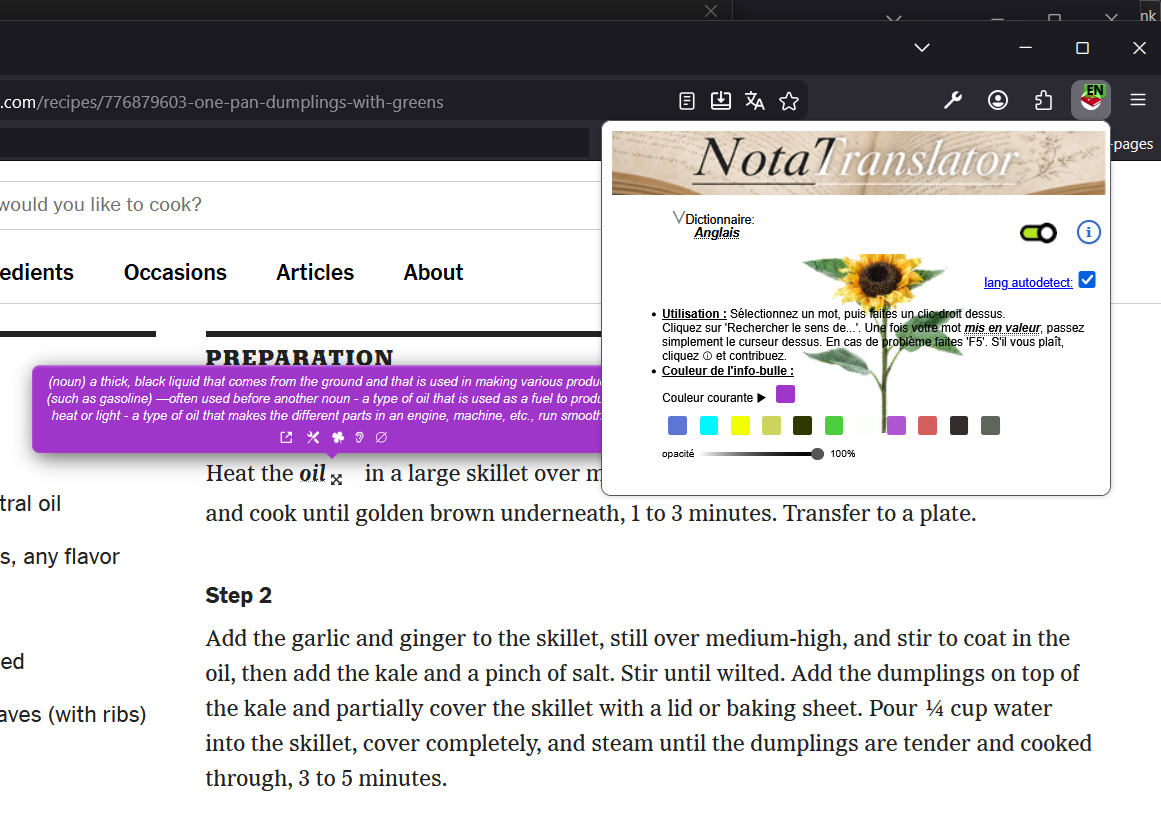
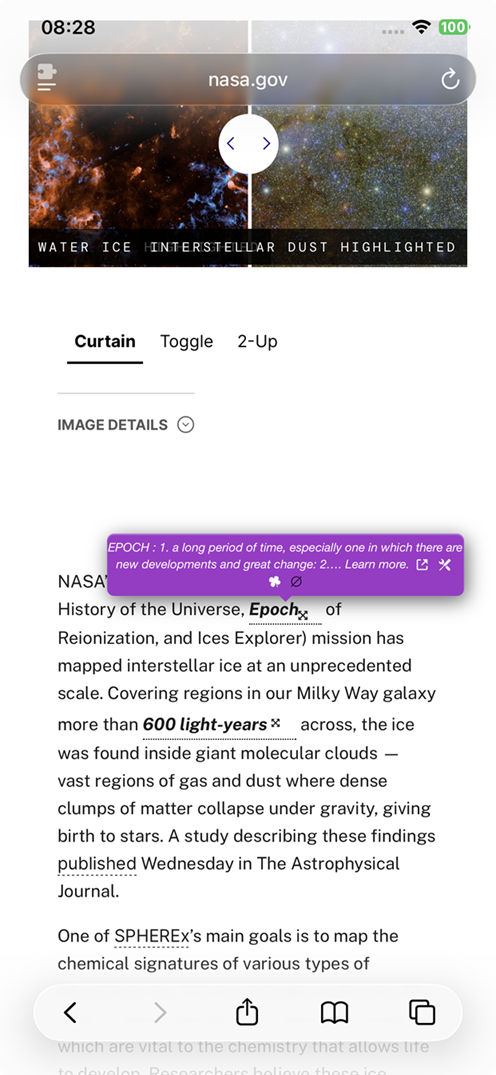
Why it feels different
The site now makes that philosophy explicit instead of hiding it between technical notes.
Core features
The visible interaction is tiny. The invisible machinery is not.
Timezone conversion
A time selection can open a dedicated conversion tooltip instead of forcing a separate workflow or a different tool.
New: AI mode
AI mode extends the reading gesture without replacing the dictionary-first principle.
A controlled fallback
When the selected word is missing from the local and VPS dictionaries, a configured AI provider can propose a definition in the browser language. The result remains visibly marked as AI, and the extension keeps its normal fallbacks and safeguards.
Exact entries, singular candidates and ordinary dictionary fallbacks are tried before an AI request is considered.
Eco mode reserves AI for missing definitions and difficult fallbacks. Full mode can also enrich map candidates and extension features when enabled.
OpenRouter, GroqCloud and other supported providers are configured locally. API keys stay in the browser extension and are never published on this site.
SenseMap and RootMap can use AI to filter candidate families, while the interface keeps provenance visible and avoids silently inventing branches.
Recent improvements
The landing page now describes the current state of the project instead of an older snapshot.
Under the hood
The extension is intentionally light in appearance and busy in the background.
Usage
The extension tries hard not to interrupt reading.
FAQ